How to Check a Used Tesla Model 3’s Controls and Hardware
Check a used Tesla Model 3’s controls, cabin equipment and onboard hardware by matching vehicle records to its screens and an inspection before buying.
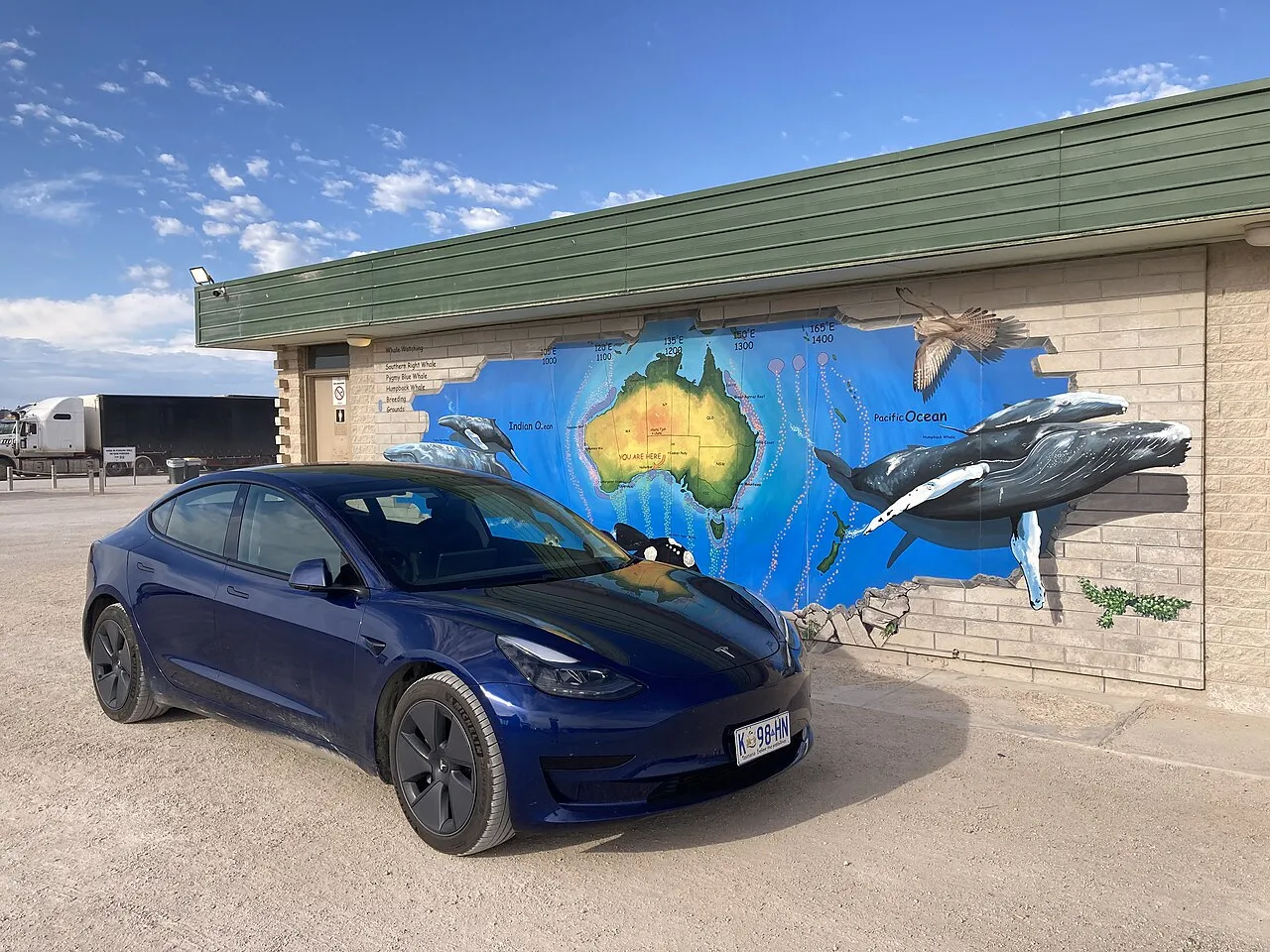
The short answer: Identify a used Tesla Model 3 by matching its vehicle identification number and build information to the car’s own information screens, then inspect and operate its controls. Confirm each feature you need on that individual car rather than relying on its trim name, registration year or exterior appearance.
To check a used Tesla Model 3’s controls and hardware, match its vehicle identification number and build information to the car’s own information screens, then inspect the cabin and operate the equipment. Treat the individual vehicle as the reference: a trim badge, registration year or exterior photograph cannot establish every control, component or enabled feature.
The useful distinction is between what the car was built with, what is physically present now and what its software currently allows. Those questions overlap, but they require different evidence. Build records establish identity, an inspection establishes condition and layout, and an operating demonstration establishes whether a function is available and working.
Start with the car’s identity and build records
Ask to see the vehicle identification number, registration documents and any original purchase or build records available. Match the identifier across the paperwork and the car. Keep the market, model year and trim together in your notes rather than recording only “Model 3.” That makes later comparisons more useful, particularly when researching a car originally sold outside the United States.
Record the manufacturing information shown on the vehicle’s identification label separately from its registration year. A registration document answers a different question from a production label. If the seller describes the car as an updated version, ask what supports that description and which particular changes they mean.
Service invoices can help explain a replacement screen, control or other component. Ask about repairs and modifications before drawing conclusions from appearance. A changed part may explain why the cabin does not match an otherwise similar car, but its presence alone does not establish the identity of other hardware.
Check the physical controls from the driver’s seat
Begin while parked. Adjust the seat and steering wheel to your normal driving position, then identify how this particular car selects a direction, activates turn signals, operates the wipers and controls the headlights. Have the seller demonstrate anything unfamiliar before attempting it yourself. The objective is to understand the actual layout and whether you can use it comfortably.
Inspect the steering wheel, the area around the steering column and the relevant touchscreen menus together. A photograph of the wheel may show a button but cannot explain its operation or establish whether another function is accessed elsewhere. Check the relationship between the physical control and the response it produces.
- Operate the turn signals and confirm that their operation and cancellation are understandable.
- Find the wiper controls and practice reaching the settings while parked.
- Identify the direction selector and confirm how the car indicates the selected direction.
- Locate the horn and lighting controls without relying on the seller’s verbal description alone.
- Check that buttons and other moving controls respond consistently and show no obvious damage.
After learning the layout, assess whether the controls suit you. Familiarity can improve with practice, but a buying decision should account for the arrangement you will actually use. Resolve uncertainty about a driving control before beginning a road demonstration.
Verify cabin equipment feature by feature
Make a short checklist of equipment that matters to your purchase. Include seat adjustments, heating and ventilation functions where fitted, climate controls, audio, charging connections for personal devices and rear-passenger equipment. Describe the function you need rather than assuming a trim name guarantees it.
Inspect each item physically, then operate it. For example, seeing a connection point does not establish that it works with your device. Likewise, a menu entry establishes less than a successful demonstration. Bring a compatible cable or device when that would help verify a feature you expect to use regularly.
Check the rear cabin separately. Front-seat photographs cannot establish the condition or operation of rear-passenger equipment. Inspect upholstery, trim, vents and any rear controls or display that are present. If a feature matters to a passenger, assess it from that passenger’s seating position.
Record absent equipment clearly. A promise that something can be added or activated later should be verified independently before it influences the purchase. Ask for the exact proposed component or service and confirmation that it applies to this vehicle.
Read the hardware information on the car
Open the vehicle’s software and vehicle-information screens with the seller. Record the software version and any component descriptions the car displays. Where an additional-information page identifies computing or driver-assistance hardware, copy its wording accurately. Avoid translating an unfamiliar label into a hardware generation from memory.
Keep separate notes for the computer that runs the cabin interface and any hardware identified for driver assistance. A responsive touchscreen is useful evidence about operation, but it is not a reliable substitute for identifying a component. Nor does a component name, by itself, establish which optional functions are enabled.
For any driver-assistance feature that affects your decision, check its status on the vehicle and review the relevant purchase or account documentation with the seller. Establish whether access depends on an ongoing subscription or another condition. Confirm what will remain available after ownership changes before assigning value to it.
If a screen does not identify a component clearly, seek confirmation through documentation or an appropriate inspection. Leave the question unresolved until there is evidence. Guessing from wheel design, body appearance or a seller’s broad description can turn uncertainty into a mistaken purchase assumption.
Use range figures to identify the right reference
Published range figures help distinguish reference versions, but they do not identify a used car’s controls or computer hardware. The table keeps each range attached to its market, model year and test standard. US figures are credited to US EPA fueleconomy.gov, Canadian figures to Natural Resources Canada, and European figures to EVDB.
| Market | Model year | Version | Rated range | Test standard | Source |
|---|---|---|---|---|---|
| US | 2027 | Performance AWD | 316 mi | EPA | US EPA fueleconomy.gov |
| US | 2027 | Premium AWD | 346 mi | EPA | US EPA fueleconomy.gov |
| US | 2027 | Premium RWD | 363 mi | EPA | US EPA fueleconomy.gov |
| US | 2027 | RWD | 321 mi | EPA | US EPA fueleconomy.gov |
| Canada | 2026 | Performance | 497 km | NRCan | Natural Resources Canada |
| Canada | 2026 | Performance AWD | 505 km | NRCan | Natural Resources Canada |
| Canada | 2026 | Premium AWD-I | 570 km | NRCan | Natural Resources Canada |
| Canada | 2026 | Premium-I | 463 km | NRCan | Natural Resources Canada |
| Europe | 2026 | Premium AWD | 691 km | WLTP | EVDB |
| Europe | 2026 | Premium RWD | 750 km | WLTP | EVDB |
EPA, NRCan and WLTP figures belong to their respective testing systems. Converting miles to kilometers does not make results from different standards equivalent. Use the matching market and model year when checking a seller’s range claim, and do not treat a published rating as a measurement of the particular used car’s current battery condition.
Finish with a written record of what you verified
Before committing, bring your notes together: vehicle identity, build information, physical controls, cabin equipment, displayed hardware descriptions and enabled functions. Mark each important item as demonstrated, documented or unresolved. This makes it easier to distinguish a confirmed feature from an assumption made during the viewing.
Where a claim remains uncertain, ask for the evidence needed to settle that specific point. A clear component description, repair invoice or operating demonstration is more useful than another general assurance about the trim. Make the purchase decision around the car’s verified equipment, its condition and your comfort using its controls.
Frequently asked questions
Can a Model 3’s trim name identify all its controls and hardware?
A trim name should be checked against the individual car. Match its identity and build records, inspect the physical controls, and read any hardware descriptions available on its vehicle-information screens.
What should I check before driving an unfamiliar used Model 3?
While parked, identify the direction selector, turn signals, wiper controls, horn and lighting controls. Have the seller demonstrate unfamiliar functions and confirm that you can operate them comfortably.
Does a working touchscreen confirm the onboard hardware version?
Touchscreen operation does not identify a particular component. Record the component descriptions shown by the car and use documentation or an appropriate inspection to resolve anything unclear.
Can I compare EPA, NRCan and WLTP range figures directly?
The figures come from different testing systems and should retain their standard labels. Converting their units does not make them equivalent; use the correct market, model year and version when checking a range claim.
Related stories

How to Choose a Used Electric Car With Confidence
Compare a used EV’s history, battery warranty, charging fit and condition before you buy. A focused inspection can uncover risks a test drive may miss.

Tesla Model 3 vs. Model Y: Which Fits Your Routine?
The Model 3 sedan favors a lower, more traditional car shape; the Model Y crossover makes loading bulky cargo and helping passengers in and out easier.
How to Read an EV Battery Health Report
Battery health reports can help used EV shoppers assess capacity, but one reading is only a snapshot. Learn what common metrics mean and what to ask next.