Rear-Seat USB Ports in EVs: Placement and Power Explained
Rear-seat charging depends on more than port count. Check where each connection sits, what it can power, and whether passengers can reach it safely.

The short answer: Check whether every rear passenger who needs power can reach a connection, whether it supports their device, and whether cables can run clear of seats and walkways. Confirm the power rating and when the connection works, especially for laptops or other devices that need more than basic USB charging.
A useful rear-seat power setup puts the right connections within reach of the people who need them. A port count alone cannot tell you whether a child in an outboard seat can plug in a tablet, whether a passenger in the third row can reach an outlet, or whether a laptop will charge. Check the location, connector type, power rating and cable route from each seat you expect to use.
Start with the seats people will use
Look at the rear seating area as a group of separate positions. Identify who will sit where, which devices they typically use and whether they need to charge during a trip or simply keep a device powered. A centrally placed pair of ports may work well for passengers who can reach the back of the front console. The same ports may be awkward for someone sitting behind a bulky child seat or in a more distant row.
Reach matters as much as distance. Ask passengers to sit normally, with seat belts fastened, and see whether they can connect and disconnect a cable without leaning far forward or across someone else. A young passenger may need an adult to handle a connection. An adult should be able to do that without reaching around a child restraint or disturbing a seated passenger.
Also check which side of the seat the device will be used on. A port that appears close in an empty cabin may require a cable to cross a lap, a seat belt or the center seating position once everyone is aboard. If the EV has a third row, inspect it separately. Rear-console ports should not be assumed to serve passengers farther back.
Find each connection and assess access
Rear USB ports may be on the back of a center console, near an air vent, along a seatback or elsewhere in the cabin. Power outlets may sit lower down or inside a storage area. For each connection, check whether its opening is visible and whether there is room to grip a plug. A deeply recessed port or one facing the floor can be difficult to use, particularly when the cabin is occupied.
Try the access check with the front seats in the positions their usual occupants need. Moving a front seat back can reduce the space available for a hand or a plug at the rear of the console. Look again with any child restraints installed. Their shells and harness arrangements can change how easily an adult reaches a nearby connection, even if the port itself remains unobstructed.
Consider storage as well as reach. A device being charged needs a sensible place to rest or be held. If its only practical position leaves a cable stretched across the floor, the setup may be inconvenient despite a nearby port. Check whether a passenger can use the device and set it aside without putting tension on the plug.
Match the connector and output to the device
Identify whether each USB connection accepts USB-A or USB-C plugs, then compare it with the cables your household uses. A connector that fits is only the first check. USB-C describes the shape of a connector; it does not, by itself, establish how much power a port can deliver. Two ports with the same shape can charge the same device at different rates.
For a phone or tablet, find the port's power rating and any stated charging capability in the vehicle's owner's information. For a laptop, check whether the port supports the charging method and power level the laptop requires. USB Power Delivery support can matter for devices designed to negotiate a higher output. If a charging rate is important to you, confirm the rating for the specific connection you intend to use.
Check the device and cable too. A cable with the right plugs does not guarantee that the device will receive its preferred charging rate. The result depends on what the vehicle connection, cable and device can support together. If several passengers will charge at once, look for guidance on whether the connections share a power limit. A rating for one connection should not automatically be treated as the output available from every connection at the same time.
Understand what an outlet can power
Some EVs have an accessory power outlet or a household-style outlet for rear passengers. These serve different plugs and can have different operating limits. Check the outlet label and the owner's information before connecting equipment. An outlet's shape does not establish that it can run every device with a matching plug.
For a household-style outlet, compare the device's power requirement with the outlet's stated limit. Equipment can draw more power when it starts than while it is running, so a device that appears to fit within a limit during normal use may still need closer checking. The owner's information may also describe restrictions on the types of equipment that can be connected. Use those instructions for any appliance or accessory you plan to bring along.
Ask whether the outlet is meant for a rear passenger's usual devices or for occasional shared use. Its position can make that distinction clear in practice: an outlet under a seat, for example, may be accessible for plugging something in before departure but awkward to reach repeatedly during a drive. Check that a plug and its cable will have space when seats are adjusted and feet are on the floor.
Check when power is available
A connection may behave differently when the EV is ready to drive, parked with cabin systems on, locked or charging. Consult the owner's information for the operating conditions of each type of port or outlet. If access while parked matters to your family, verify that behavior in the vehicle rather than assuming that all rear connections follow the same rules.
Think about what passengers will expect during a stop. A device that charges on the road may stop charging after the vehicle is turned off or left unattended. Conversely, equipment left connected may continue drawing energy under certain operating conditions. Knowing when power starts and stops helps you decide whether to leave a device plugged in and whether to bring another way to charge it during a longer stop.
Trace the cable route with the cabin occupied
Plug in the devices passengers are likely to use, then check where each cable goes. It should stay clear of seat tracks, folding mechanisms, doors and areas people step through. A cable caught by a moving seat can damage the cable or its connection. A cable across a walkway can make entry and exit harder, especially when passengers are moving between rows.
Pay particular attention around child restraints. Keep cables clear of the restraint's belt path, attachment points and harness, and do not route a cord where it could interfere with proper installation or use. An adult can connect a device before departure and check that the cable remains clear after seats are adjusted and passengers buckle in.
Length and plug shape affect the route. A cable that is too short may pull on a device whenever a passenger moves. A bulky plug may project into knee space or be bumped when someone climbs aboard. Checking with your actual cables and devices shows whether a connection works for your seating arrangement.
Make the comparison seat by seat
When comparing EVs, repeat the same check from each occupied rear seat: reach the connection, plug in the intended device, find a place for that device and follow the cable's path. Then confirm the connection's power rating and operating conditions. This produces a more useful comparison than counting ports from the front seats or looking at an empty cabin.
Prioritize the seats and devices your family uses most. If rear passengers mainly charge phones, convenient USB access may settle the question. If someone regularly needs to charge a laptop, output and charging compatibility deserve closer attention. If passengers use a third row, confirm that they have a workable connection and cable route of their own. The best arrangement is the one that remains easy to use when everyone and everything is in place.
Frequently asked questions
Does a USB-C port in an EV charge a laptop?
The connector shape alone does not confirm it. Check the port's power rating and charging support against the laptop's requirements.
Are rear-console USB ports enough for third-row passengers?
Check from the third-row seats. A port at the back of the front console may be too far away or require a cable across a walkway.
Will rear USB ports work while the EV is parked?
Operating conditions vary by vehicle and connection. Check the owner's information and verify the behavior in the vehicle if parked charging matters to you.
What should families check around child seats?
Check whether an adult can reach the port and whether the cable stays clear of the restraint's belt path, attachment points and harness.
Related stories

How to Check Rear-Seat Heat and Airflow in an EV
Check rear vents and seat heaters with the EV running, then test airflow and controls from each family seat. Bring child seats to check access and comfort.
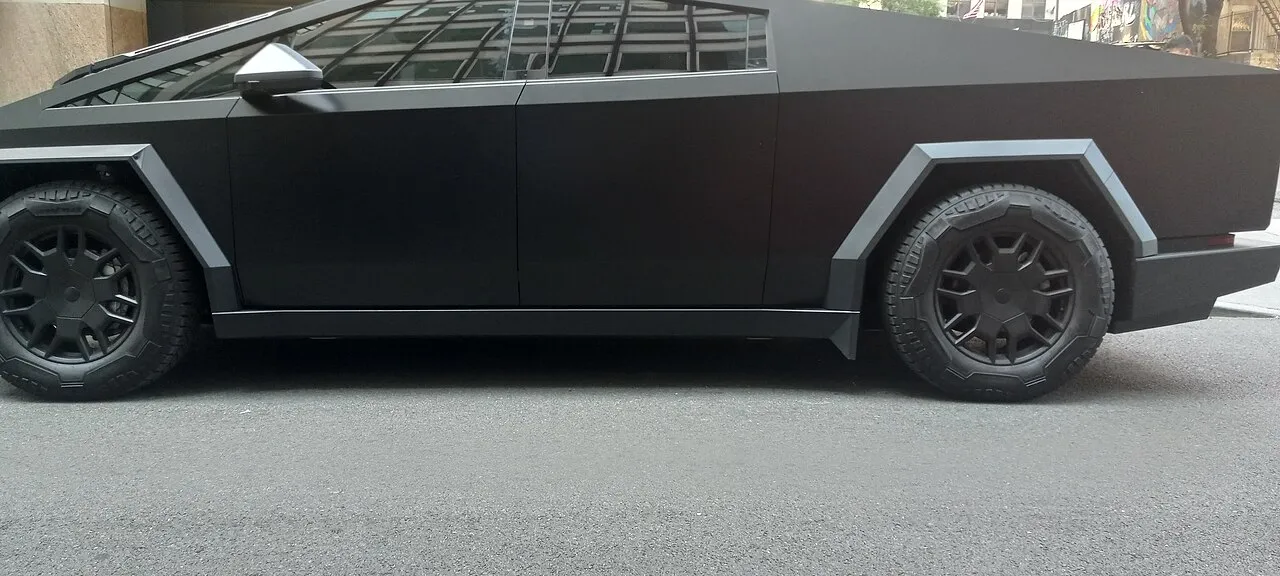
What Everyday Use of the Tesla Cybertruck Requires
The Cybertruck's daily practicality depends on fitting its pickup body to your routes, parking and cargo needs. EPA and NRCan figures cover range and charging.

How to Choose an EV When Homes Share a Transformer
A shared transformer can limit when several homes charge at once. Learn what to ask your utility and installer before choosing an EV or charger.