Tesla Update 2026.38 Adds FSD Tracking to Older Models
Tesla’s 2026.38 update adds FSD tracking to some older Model S and Model X cars, alongside service language tools and high-voltage diagnostic details.
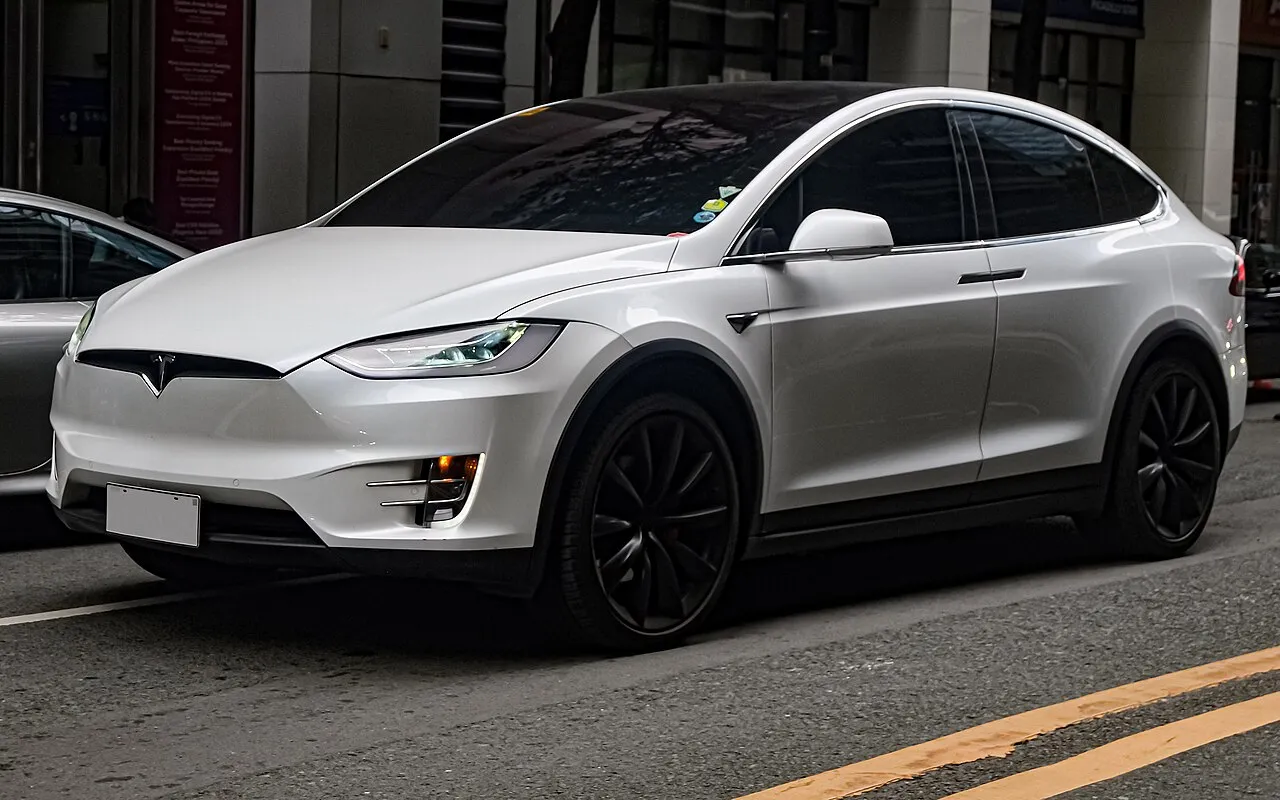
The short answer: Tesla’s 2026.38 software update adds the Self-Driving app and FSD Streaks to legacy Model S and Model X vehicles running FSD v14.3 Lite, according to Not a Tesla App. The update also includes service and diagnostic changes, while some Halloween features remain unavailable on Intel-equipped cars.
Tesla’s 2026.38 software update brings Self-Driving usage tracking to some legacy Model S and Model X vehicles, while adding practical tools for service technicians and more detail to high-voltage diagnostics. For owners, the changes reach beyond the update’s more visible Halloween features: eligible cars can now show driving metrics, and service staff can more easily switch the touchscreen language during a visit. Not a Tesla App reported the changes after the update had been available to owners for several weeks.
The update matters because it extends parts of Tesla’s newer software experience to older cars, including vehicles with Intel processors and Hardware 3, while also exposing additional diagnostic information. Availability varies by feature and vehicle. The Self-Driving additions apply to legacy Model S and Model X vehicles running FSD v14.3 Lite, according to Not a Tesla App; the outlet says that group includes Intel and HW3 cars. The report does not say that every Model S or Model X receives the same features.
Self-Driving app reaches eligible legacy cars
On supported legacy Model S and Model X vehicles, 2026.38 adds Tesla’s Self-Driving app and support for FSD Streaks. Not a Tesla App says the app displays metrics including the distance driven using Self-Driving, usage by month, and the number of consecutive days it has been used. The update also adds celebration screens associated with the streak feature.
Those displays give owners a way to review recent and ongoing use from the car’s software. The outlet does not describe the metrics as a measurement of driving quality or safety, and the reported feature is limited to tracking use. The story also does not specify how a streak is defined beyond the number of days in a row that Self-Driving has been used.
The feature’s stated hardware and software limits are important for owners interpreting the rollout. Not a Tesla App ties availability to legacy Model S and Model X cars running FSD v14.3 Lite, and says the update applies to vehicles with Intel processors and HW3. It does not say that the same tracking functions are available on other hardware or software configurations. Owners should therefore treat the reported support as specific to that eligible group rather than a change across the entire Tesla fleet.
Vehicle range figures give context for the cars mentioned, but do not indicate whether a particular vehicle receives the software feature. In the US, the 2026 Tesla Model S has an EPA-rated range of 410 miles; the 2026 Model X has an EPA-rated range of 352 miles. Those are separate vehicle ratings from the software report, and they do not describe the update’s effect on range or driving efficiency.
Halloween features depend on the car’s processor
Tesla’s 2026.38 release also introduced Halloween Mode, which Not a Tesla App describes as including vehicle visualizations, sounds, and interactive features. The report says Intel-equipped vehicles do not get the complete Halloween Mode experience. They do receive Halloween-themed wraps and license plates that are also available on AMD-equipped cars, but the visualizations, Trick or Treat Mode, and lock sound are unavailable on Intel vehicles.
That division makes the update a mixed release for owners of older hardware: some themed customization options reach Intel cars, while the more interactive parts do not. The report does not give a full list of eligible models for each Halloween feature, so it does not establish that every AMD-equipped Tesla receives all of them. The processor distinction is the specific availability detail Not a Tesla App provides.
For Model Y L owners, the update adds an animation to the Launch Series badge. According to Not a Tesla App, tapping the badge plays the animation. The vehicle background identifies the US 2027 Model Y L with 20-inch wheels as an all-wheel-drive version with an EPA-rated range of 328 miles. That published rating provides model context; the software report does not connect the badge animation to the vehicle’s range, performance, or charging.
The update also removes the beta label from Grok, the report says. It does not describe a change to Grok’s capabilities or explain what removing the label means for its availability. As a result, the reported change is limited to the status label rather than a claimed new function.
Service Mode adds a temporary language switch
One of the update’s practical changes concerns vehicles brought in for service when the touchscreen is set to a language unfamiliar to the person working on the car. Not a Tesla App says the vehicle saves the customer’s original language setting when Service Mode is entered. If the touchscreen language does not match the default language for the vehicle’s current country location, a button labeled “Change Touchscreen Language” appears at the top of the Service panel. The button is always shown in English.
The person using Service Mode can select a preferred language through that control. When Service Mode ends, the vehicle automatically restores the customer’s original language setting. Changing the touchscreen language restarts the user interface, according to the report.
This change addresses a specific handoff problem: service work may take place in a country whose default language differs from the setting chosen by the owner. A temporary switch lets staff use the touchscreen in a language they prefer without leaving the vehicle in that language after service. The automatic restoration is part of the reported behavior; the source does not say whether the change affects other vehicle settings or the language in the Tesla app.
High-voltage panel exposes isolation details
The high-voltage panel now gives more information about isolation health. Not a Tesla App says each isolation health dot can be tapped to open a status popup. For a healthy component, the popup shows current isolation resistance values. If a component is unhealthy, it shows those values along with any isolation alerts or diagnostic trouble codes present on the vehicle.
The distinction changes what a person inspecting the panel can see: the health indicator can lead to component-level readings, and an unhealthy status can be accompanied by alerts or codes. The report does not identify particular components, give resistance thresholds, or explain how owners should interpret the readings. It also does not say that the update changes how the vehicle detects an isolation problem. The reported change is to the information displayed in the panel.
For owners, the added readings may make the reason for an alert more visible, while the report frames the panel as a diagnostic feature rather than a new warning system. Any conclusion about the condition of a vehicle would depend on the readings and the alerts present; Not a Tesla App does not publish example values or repair guidance in its account of the update.
What comes after 2026.38
Not a Tesla App reports that Tesla has begun releasing version 2026.44, which it describes as the next major update. Its reported features include manual battery preconditioning, a redesigned service menu, and grouped Supercharger views when the map is zoomed out. These are developments in a subsequent release, not features that the source says arrived in 2026.38.
The distinction matters for owners following Tesla’s software changes: the 2026.38 additions described here include the legacy-car tracking tools, service language control, high-voltage status popups, and selected Halloween functions. The manual preconditioning and Supercharger map changes belong to the reported 2026.44 rollout. The source says code hints at additional features that may arrive in a holiday update, but it does not establish that those features will be released or give a confirmed release date.
For eligible legacy Model S and Model X owners, the most consequential reported addition is the ability to view Self-Driving use and streaks in the car. Other changes target service workflows, diagnostics, and seasonal customization, with hardware and vehicle eligibility varying by feature. The update account does not provide a complete vehicle-by-vehicle rollout schedule, so the features described should be understood according to the specific conditions Not a Tesla App reported.
Frequently asked questions
Which older Tesla vehicles get the Self-Driving app and FSD Streaks?
According to Not a Tesla App, legacy Model S and Model X vehicles running FSD v14.3 Lite receive them, including cars with Intel processors and HW3.
What usage information does the Self-Driving app show?
It shows Self-Driving distance, monthly usage, and how many consecutive days the feature has been used.
Which Halloween Mode features are unavailable on Intel-equipped cars?
Not a Tesla App says Intel vehicles do not get the Halloween visualizations, Trick or Treat Mode, or lock sound. They do get Halloween wraps and license plates.
What changes does Service Mode make to touchscreen language?
It offers a language switch when the touchscreen language differs from the vehicle’s country default, then restores the customer’s original setting when Service Mode ends.
What does Tesla update 2026.44 add, according to the report?
The reported features include manual battery preconditioning, a redesigned service menu, and grouped Supercharger views when the map is zoomed out.
Related stories
Tesla Holiday Update Could Bring Grok and More Features
Tesla’s holiday software update is expected within weeks, with Grok changes, Automations and navigation options among the features identified in code or speculation.
Tesla Begins Limited FSD v15 Rollout for Hardware 4 Cars
Tesla has begun sending supervised FSD v15 to a small group of Hardware 4 owners. New controls arrive ahead of a wider release Musk has said is due in December.
Tesla FSD V15 Adds Reality View and New Driving Features
Tesla's FSD V15 adds a rendered street view, clearer turn and parking cues, and new hazard responses. Its claimed safety gain lacks a published baseline.